How to Translate Japanese Daily Life Apps on iPhone
LINE, PayPay, Tabelog, HotPepper Beauty, city ward portals — the apps you actually need in Japan are mostly in Japanese. Here's how to read them.
You moved to Japan. You got the apartment, the residence card, the bank account. You’re settled. And now you need a haircut.
You open HotPepper Beauty — the app every single person in Japan uses to book a salon. Seventy thousand salons listed, coupons for first-time customers, 10% off if you book online. Cool, except the entire app is in Japanese. Every salon description, every menu option, every coupon detail. You can’t tell if you’re booking a cut, a perm, or a scalp treatment.
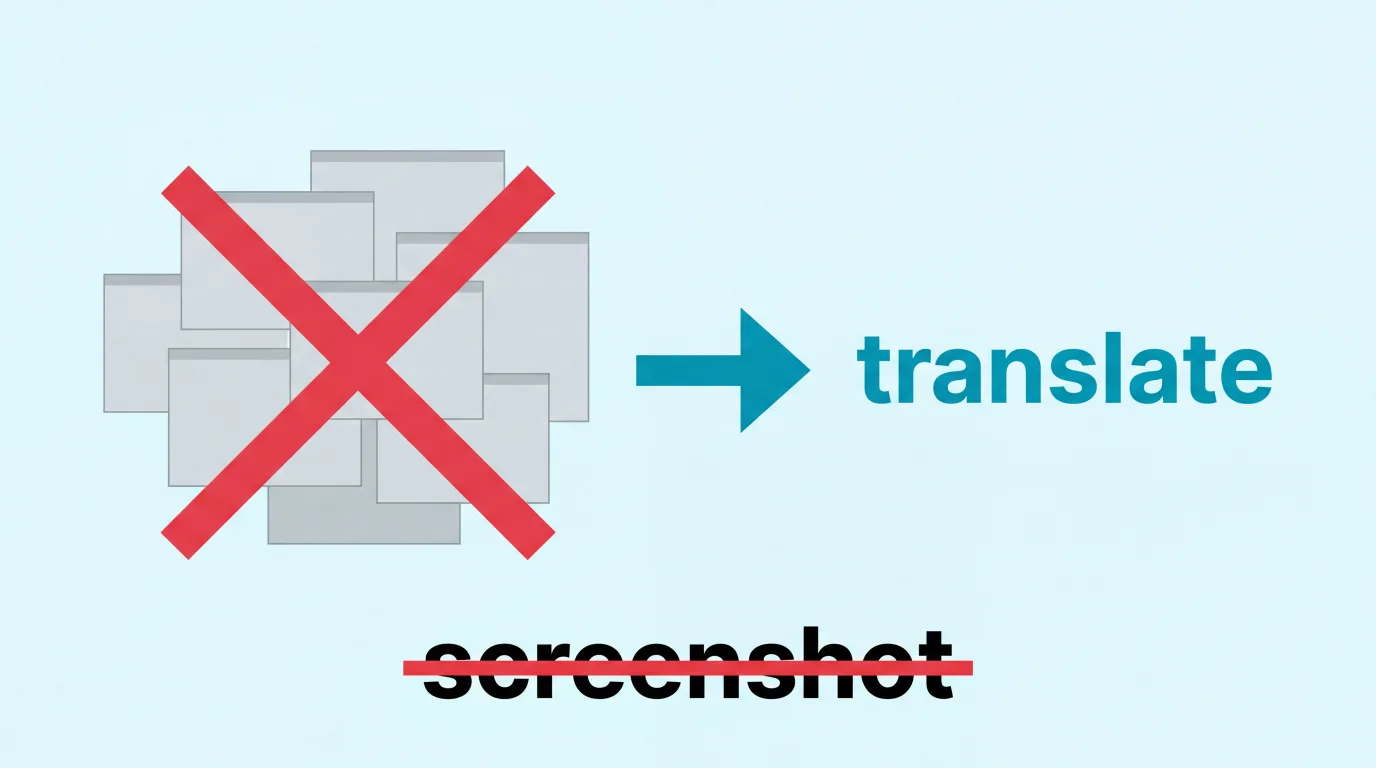
So you screenshot the screen. Switch to Google Translate. Upload. Wait. Read the translation. Switch back. Try to remember which button said what. Screenshot the next screen. Repeat.
For a haircut.
This is daily life in Japan with nearly 4 million foreign residents — and it’s not the tourist stuff that gets you. It’s the mundane, everyday apps that Japanese people use without thinking, the ones that have zero reason to support English because their entire user base reads Japanese.
The Apps Nobody Warns You About
Every “essential apps for Japan” guide covers the same five things: Google Maps, Google Translate, a transit app, maybe LINE. Tourist-level advice for a tourist-level trip.
But if you actually live here, your phone fills up with a completely different set of apps. Justin Searls, an American developer who splits time between the US and Japan, describes it well — every trip to Japan requires “a full home screen of only-available-in-the-Japanese-App-Store apps.” Japan builds software for domestic consumption. For almost every function of daily life handled by a popular app in the West, a different app dominates the same market in Japan. And that app is in Japanese.
Here’s the real list — the apps that run your daily life in Japan, sorted by how much pain they cause when you can’t read them.
Tier 1: You Literally Cannot Function Without These
LINE — This isn’t a messaging app. It’s infrastructure. Your landlord messages you on LINE. Your kid’s school sends announcements on LINE. The local clinic confirms appointments on LINE. Your ward office sends disaster alerts on LINE. The gas company sends billing notifications on LINE.
LINE does have an English UI — if your phone is set to English, the menus and settings translate. But here’s what doesn’t translate: every official account message, every coupon, every notification from a business, every group chat where your neighbors discuss trash collection day, every school announcement about your kid’s sports day. The content of LINE is Japanese, because the people writing it are Japanese. You can read the word “Message” on the button, but you can’t read the message.
PayPay — Over 60 million users. Accepted at 3.7 million locations. The dominant mobile payment in Japan. The small ramen shop that doesn’t take credit cards? Takes PayPay. The festival food stall? PayPay. Your neighborhood dry cleaner? PayPay.
PayPay’s basic UI switches to English if your phone language is English. But the moment you need to do anything beyond tap-to-pay — topping up at a 7-Eleven ATM (Japanese-only interface), reading the details of a cashback campaign, understanding the PayPay Points terms, navigating the insurance or investment features they keep adding — you’re back in Japanese. And some linked pages within the app never switch to English at all.
Banking apps — MUFG, SMBC, Mizuho, Japan Post Bank. You need one of these. SMBC has a reasonably good English app and their PRESTIA brand offers full English banking. Japan Post Bank’s Yucho app supports English too. But MUFG — one of the most common banks — has limited English support, and their online registration doesn’t even work for foreign nationals. You have to go to a branch.
The real issue isn’t the main banking screen. It’s the secondary flows: setting up automatic utility payments, reading transaction descriptions (which are in Japanese because the merchants are Japanese), understanding fee notices, navigating the labyrinth of transfer confirmation screens. One wrong tap on a transfer screen isn’t “oops, wrong order at the restaurant.” It’s money going to the wrong account.
Tier 2: The Daily Friction Apps
Tabelog — Japan’s Yelp, except people actually trust it. Tabelog uses a brutally honest 1-5 scale where 3.0 means “meets expectations” — unlike American review culture where anything below 4.5 is suspicious. It’s the definitive restaurant discovery app. Over 900,000 restaurants listed.
Tabelog launched a multilingual app in late 2025 for tourists, which is a start. But there’s a catch: the English version charges a 440-yen system fee per booking that the Japanese version doesn’t. And the English version doesn’t have a search bar for specific restaurant names. The real Tabelog — with the full reviews, the ranked sorting (a premium feature that’s worth paying for), the granular filters — that’s still in Japanese.
HotPepper Beauty — The hair salon and beauty booking app. Over 150,000 salons listed. Japanese only. No English option whatsoever. This is the one that catches every expat off guard because there’s no workaround. English-speaking salons exist, but they charge more and are harder to book. HotPepper has the widest selection, the best coupons (10% off first bookings), and 24/7 booking. But every salon description, every stylist profile, every menu item, every review is in Japanese.
HotPepper Gourmet — The restaurant reservation sibling. Unlike Tabelog, HotPepper Gourmet does have some English web content. But the app — which is what you need for same-day reservations, coupons, and the full listing inventory — is overwhelmingly Japanese. The coupons are the real draw here. Nomihoudai (all-you-can-drink) deals, course meal packages, birthday specials. All described in Japanese, all requiring Japanese to book.
Delivery apps — Uber Eats works in English. Demae-can, which has a wider restaurant network in many areas, is Japanese only. The restaurant menus, the item descriptions, the customization options (“large size,” “extra noodles,” “no green onion”) — all in Japanese. And when a driver calls because they can’t find your apartment? That call is in Japanese.
Mercari — Japan’s biggest flea market app. Mercari rolled out a partial English UI in November 2025 — navigation and menus translated, but every listing description, condition note, and seller message stays in Japanese because sellers write in Japanese. We covered this in depth in our guide to buying from Japan. The daily-life angle: expats use Mercari for everything. Furniture when you first move in. Kitchen items. Kids’ clothes. Winter coats. It’s the Japanese Craigslist-meets-eBay, and browsing it in Japanese is a core expat skill.
Tier 3: The Government and Bureaucracy Apps
This is where the stakes get genuinely high.
Mynaportal (My Number portal) — Your My Number card is your identity in Japan. It’s your health insurance card, your tax ID, and increasingly the key to digital government services. The Mynaportal app is how you access pension information, tax records, vaccination certificates, and municipal services online. The app is primarily in Japanese. Some steps have English prompts, and the chatbot now supports multiple languages, but the core experience — reading your pension status, understanding a tax notice, navigating the linked municipal services — is Japanese.
Ward office online services — Each of Japan’s municipalities has its own system. Some have apps, most have websites, almost none have meaningful English support. Need to register a change of address online? Japanese. Apply for a garbage disposal sticker for oversized items? Japanese. Check your National Health Insurance status? Japanese. Even wards in Tokyo with large foreign populations — Shinjuku, Minato, Shibuya — have limited English on their digital portals.
National Health Insurance — Japan’s healthcare system covers 70% of medical costs, which is amazing. But understanding your coverage, checking your bills, and navigating the system is all in Japanese. When you show up at a clinic, the intake form (monshin-hyou) is in Japanese. The symptom questionnaire is in Japanese. The prescription instructions are in Japanese. Some clinics in major cities have multilingual forms, but the neighborhood clinic where your GP practices? Probably not.
Nenkin Net (Pension portal) — If you work in Japan, you’re paying into the pension system. Nenkin Net lets you check your contribution history, estimate future benefits, and handle administrative tasks. The interface is Japanese. This matters especially when you leave Japan and want to claim a lump-sum withdrawal — you need to understand what you’ve paid and what you’re owed.
eTax — Filing your taxes online. Japanese. The paper forms have some English guidance available separately, but the actual digital filing system is Japanese.
Tier 4: The “I Didn’t Know I Needed This” Apps
Yahoo Japan Weather / Disaster alerts — Japan’s weather app of choice, and critically, the disaster alert app. Yahoo’s Bosai Sokuhо (防災速報) pushes earthquake early warnings, tsunami alerts, evacuation orders, and typhoon updates. It’s Japanese only. No English option. When an earthquake hits at 3 AM and your phone buzzes with an alert you can’t read, that’s a bad moment. (Safety Tips and NERV apps offer English alternatives for disasters specifically, but the comprehensive daily weather forecasting that Japanese residents rely on is Yahoo’s domain.)
Garbage collection apps — Japan’s garbage sorting system is legendarily complex. Burnables, non-burnables, recyclables, PET bottles, cans, paper, cardboard, oversized items — each on a different day, each with different rules, varying by ward. Many municipalities have garbage sorting apps. Some support English (Yokohama’s does). Many don’t. Miss your garbage day or sort wrong, and your bag gets left on the curb with a polite but firm sticker in Japanese explaining what you did wrong.
Kuroneko Yamato / Sagawa delivery — Japan’s delivery services are incredible — time-window delivery, redelivery scheduling, locker pickup. Kuroneko Yamato has English tracking and redelivery options. Sagawa is significantly less English-friendly — the redelivery hotline is Japanese only, and full features require Smart Club registration in Japanese.
Jalan — The domestic hotel booking app. Japan’s Expedia, but better for ryokan and local inns that don’t list on international platforms. Pricing is per-guest rather than per-room (a cultural norm), and meal plans are a primary search criterion. Entirely in Japanese. The rural ryokan that serves the incredible kaiseki dinner and has its own onsen? It’s on Jalan, not Booking.com.
Rakuten Ichiba / Rakuten Pay — The Rakuten ecosystem is massive. Rakuten Pay is the third-most-popular mobile payment, but its app interface is Japanese only. Rakuten Ichiba (the shopping marketplace) has a separate “Global Market” in English, but it’s a curated subset with markup. The real Rakuten — the full catalog, the point system that locals obsessively optimize, the Super Sale events — is Japanese. Rakuten did release an English-language credit card management app (Rakuten Card Lite), which helps, but the broader ecosystem remains Japanese.
Why the Usual Workarounds Don’t Cut It
If you’ve been in Japan for more than a week, you’ve tried these:
The screenshot-to-Google Lens loop — Screenshot the app. Switch to Google Lens. Upload. Wait. Read. Switch back. Forget which button was what. Repeat for the next screen. This works for a restaurant menu. It doesn’t work for a 12-screen salon booking flow, a banking transfer, or a ward office form where you need to understand every field while looking at it.
Apple Live Text / Translate — Only works on selectable text. Most app interfaces render text as non-selectable UI elements, images, or custom components. The button that says 予約する (reserve) isn’t copyable text. It’s a rendered button. You can’t select it, so you can’t translate it.
Browser-based Google Translate — Works for websites. Most of these services are native apps, not websites. Safari translation doesn’t reach inside PayPay or Tabelog or HotPepper Beauty.
“Just learn Japanese” — Yes, obviously. Japanese is classified as a Category IV language by the U.S. State Department — approximately 2,200 classroom hours for proficiency. That’s 4+ years of full-time study. In the meantime, you still need a haircut. The apps don’t wait for your kanji skills to catch up.
Asking a Japanese friend — Works until it’s 10 PM and you need to book a clinic appointment for tomorrow morning. Or until you’ve asked your coworker to translate your utility bill for the fourth time and the social debt starts to weigh on you.
The fundamental gap: every workaround requires you to leave the app you’re trying to use. And for multi-step flows — booking a salon, navigating a payment, filling out a ward office form — leaving the app means losing context, losing your place, and turning a 5-minute task into a 30-minute ordeal.
Translating Apps Without Leaving Them
PiP Screen Translate puts a floating translation overlay on top of whatever app you’re using on iPhone. It reads the Japanese text on screen via OCR and shows the English (or any language) translation in a picture-in-picture window — without switching apps, without screenshots, without breaking your workflow.
Open the overlay, start a session, switch to HotPepper Beauty or PayPay or your ward office portal. The translation floats on top. Scroll through salon listings, the translation updates. Navigate to the next screen, it reads the new content. You see “Hair Cut + Shampoo + Blow Dry” while looking at the actual booking button.
What it handles well
App interfaces — Menu items, button labels, navigation, form fields. The structured text that makes up 80% of any app. “Reservation date,” “Number of guests,” “Payment method,” “Confirm booking.” This is where the overlay earns its keep — you understand the interface while using it.
Listing descriptions — Salon menus on HotPepper, restaurant descriptions on Tabelog, item condition notes on Mercari, course meal details on HotPepper Gourmet. The blocks of Japanese text that contain the information you actually need.
Official account messages on LINE — The clinic appointment confirmation, the utility bill notification, the school announcement. Open the LINE chat, the overlay translates the message content.
Government portal text — Ward office forms, Mynaportal screens, health insurance notices. Formal Japanese with consistent formatting translates well.
Where it struggles
Being honest about this:
Tiny text and dense layouts — Some Japanese apps cram a lot of information into small font sizes. OCR has limits, especially on older iPhones. Zooming in helps, but some ultra-dense screens may miss details.
Specialized terminology — Medical forms, tax documents, pension records. The overlay gives you the gist, but for anything you’re going to sign or submit, verify the details with a human translator or a careful manual translation. The overlay is your first pass, not your legal advisor.
Speed for rapid scrolling — There’s a brief delay between screen changes and translation updates. For browsing Tabelog listings or scrolling through Mercari, pause briefly on each screen. For filling out a form or reading a message, the pace is fine.
Handwritten text — If your neighborhood association leaves a handwritten note about parking rules, OCR will struggle. Standard printed app text works well; handwriting in any language is hard for OCR.
For navigating daily life apps — booking things, paying for things, reading things, understanding what buttons do — it works. For the 5% of situations where you need character-perfect accuracy on a legal document, use it as a starting point and then verify.
The Daily Translation Stack
Different situations need different tools. After living through this, here’s what actually works:
For app interfaces — PiP Screen Translate overlay. This is the one for PayPay, HotPepper Beauty, Tabelog, ward office portals, LINE official account messages, banking flows — any app where you need to understand the interface while using it.
For careful text translation — DeepL or Google Translate. When you have a specific piece of text — a lease clause, an email from your company’s HR, a notice from the tax office — and need a precise, careful translation, paste it into a dedicated translator.
For conversations — Google Translate’s conversation mode or Apple Translate. When you’re at the clinic trying to describe symptoms, or on the phone with a delivery service. Real-time speech translation.
For learning — Actually studying Japanese. Apps like WaniKani for kanji, Anki for vocabulary, HelloTalk for conversation practice. The overlay bridges the gap, but building reading ability is the long-term fix. Every kanji you learn is one less thing you need translated.
These aren’t competing tools. You’ll use all of them in the same day. The overlay for your morning HotPepper Beauty booking. DeepL for that confusing pension letter. Google Translate conversation mode at the dry cleaner. WaniKani on the train home.
FAQ
Does the overlay work with LINE messages?
Yes. Open a LINE chat with an official account (your clinic, your gas company, your kid’s school), and the overlay translates the message content. For group chats where friends are typing, it works the same way — though casual Japanese with slang and abbreviations translates less cleanly than formal business messages.
Can I use this to fill out Japanese forms?
The overlay helps you read the form — understanding what each field asks for. You’ll still need to type your responses in Japanese where required (Google’s Japanese keyboard with romaji input helps here). The overlay tells you the field says “address”; you still need to type your address in Japanese.
What about apps that use a lot of images with text in them?
Restaurant menus photographed as images, promotional banners with text baked into graphics — these are harder for any translation tool. The overlay reads text rendered on screen, not text inside photographs. For image-heavy apps, results vary.
Does it work offline?
OCR (reading the text on your screen) runs on-device. The actual translation requires internet. In Japan, with ubiquitous WiFi and affordable mobile data, this is rarely an issue. But it won’t work on the subway between stations if you lose signal.
Is this useful if I already speak intermediate Japanese?
Very. Even N3/N2 speakers hit walls with specialized vocabulary — insurance terms, banking jargon, municipal bureaucracy, medical questionnaires. These aren’t words from Genki textbook Chapter 12. The overlay helps with the 20% of vocabulary that your current level doesn’t cover, which is often the 20% that matters most.
What about privacy with banking apps?
OCR runs on your iPhone. The text gets sent to a translation API for the actual translation, same as any translation app. Screen content isn’t stored. For sensitive banking sessions, you can start and stop the overlay as needed — translate the navigation to understand where you are, then stop it before entering account details.
Nearly 4 million foreign residents live in Japan. The number grows every year. The apps they need to use every day were built for a Japanese audience, and most of them will stay that way — there’s no business case for HotPepper Beauty to build an English app when 99% of their users read Japanese.
The language barrier in Japan isn’t at the airport or the restaurant. It’s in the mundane stuff. The haircut booking. The garbage schedule. The pension portal. The apps that run daily life.
If you’re navigating that right now, or about to — check out our guide on surviving the language barrier (written about China, but the translation strategy applies) or your first week abroad for the student version of this problem.
PiP Screen Translate is on the App Store. Free trial, no account needed.
Related Posts
How to Translate French Apps on iPhone (Expat Guide)
Ameli, CAF, Leboncoin, impots.gouv — France's essential apps are all in French. Here's how to actually use them on your iPhone without fluent French.
How to Translate German Apps on iPhone (Expat Survival Guide)
DB Navigator, Sparkasse, Kleinanzeigen, health insurance portals — Germany's essential apps are stuck in German. Here's how to actually use them.
Stop Paying Proxy Fees: How to Translate Japanese Shopping Apps on iPhone
Mercari Japan, Yahoo Auctions, Surugaya — the best deals are in Japanese. Here's how to actually read them on your iPhone instead of paying a proxy service 30-100% markup.